My natural inclination would be to make the body in a single color filament and then use a stencil to paint on the logos. It would print a lot easier and look more natural and authentic. The logos were painted on the planes historically. And if you use stencils to paint them on, the logos could be customized for individual prints.


Mechanismatic
Michael W. Moss | michaelwmoss.com
Writer, maker, and designer. Writer of fantasy, cyberpunk, science fiction, steampunk, horror, and hardboiled noir fiction. Typeface/font designer. Maker of 3D printed, laser cut, and microelectronics projects. Friend of cats and crows.
- 0 Posts
- 20 Comments
Joined 5 months ago
Cake day: July 11th, 2025
You are not logged in. If you use a Fediverse account that is able to follow users, you can follow this user.
 2·9 days ago
To do process of elimination, I’d recommend trying a different brand of filament and a different type of filament (i.e. PLA), preferably freshly opened rolls. I’d also generally be wary of AliExpress, but that’s just been my experience of seeing multiple people be disappointed with what they get. If you’re looking for discounts on filament, there are a bunch of Black Friday deals going on right now.
That testing will at least tell you if it’s the brand or the type of filament that’s causing the issue. If you eliminate those by seeing no change, then you know it’s the printer itself and can start troubleshooting that next.
It looks like you’re printing it with the right side of the model in the picture angled down from the left, so you’re getting more layers to the left, which is giving you some unfortunate border and infill lines. Is it possible to print this all flat so it’s one smooth layer? If it’s the top layer, you might play with ironing as well. It’s hard to tell without seeing the whole model in context though.
When wanting more weight, but not wanting to add anything extra to the print, I use modifiers in Prusaslicer to add an internal shape that I set to 100% infill in contrast to the rest of the print. So if I want a weighted bottom to prevent a printed object from tipping over, just throw the modifier in with 100% infill at the bottom of the model before printing.
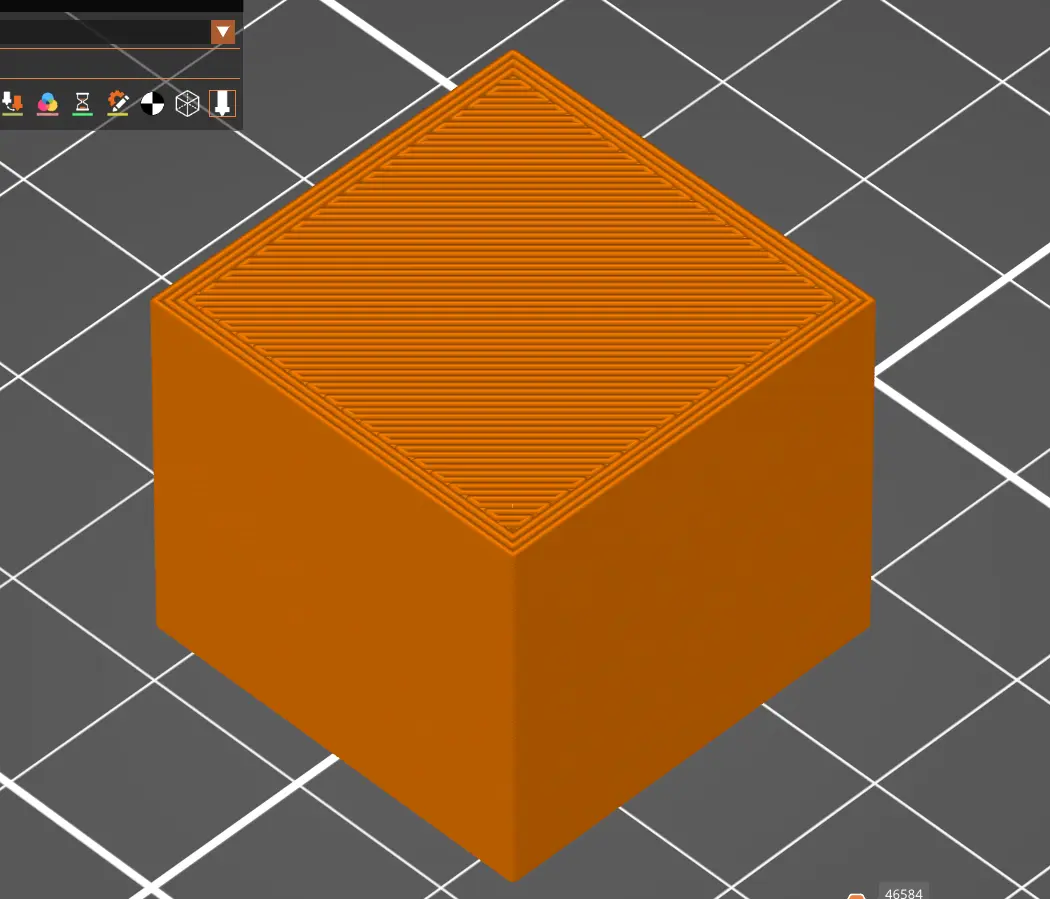

It’s especially nice to eliminate machine issues so you know that subsequent print issues are due to modeling problems or orientation while slicing or something else.
 32·22 days ago
That one depends on the job. Some managers will love to exploit your inclination to hyper focus on solving problems and following the rules. They won’t ask you to work unpaid after hours but if you want to they won’t protest… Doing a third of the work for a team of six people? That’s great, but your next performance review will include the criticism that you’re not as social as your coworkers because you’re too busy doing the job.
You can get a new Sovol SV06 for less than $200. That worked very well out of the box compared to my older Ender 3. Prusaslicer also has a good profile for it. I don’t care for Cura slicer as much. Enders are of an older generation of printers that I will personally avoid just because of the legacy of having to tinker with them just to get them to work. The opposite end is the Bambu where “it just works” except it doesn’t always and it’s not as easy to fix and it doesn’t play well with third parties. Sovol is a good starter printer that I’d had even better bed adhesion with over Prusa MK4Ss at work.
There are too many to mention since there’s so much out there.
You can go to a font website like dafont and perform a search for a font or browse different themes/styles and specify in the results that you want Public domain / GPL / OFL fonts.
Almost all of my fonts are released under an attribution license, so they’re free for commercial use and remixing.
It’s not new, but the current hot trend is for companies to outsource their costs as much as possible but pretend they’re providing “creators” with a service. Gig economy jobs, social media jobs, Etsy stores, etc. all involve “employees” who can’t call themselves employees for the purposes of insurance or full time hours or salaries taking on the equipment and material costs and labor costs in hopes that the company will pay out more than they invest. It’s the new MLM Avon calling, Tupperware party, essential oils scam. It’s not to say that some people won’t beat the house some of the time and make a decent living, but the odds aren’t in your favor and the house is still making a bunch off of you even when you are being “successful.”
My old SV06 at home often had better bed adhesion than the same prints on a Prusa MK4S at work. The SV07 Plus had the bigger bed I wanted, but it didn’t print as well as the 6. Lots of large failed prints and layer quality issues.
But now you have the next adventure opportunity: 3D printing quality of life upgrades for the printer!
I recommend looking into the ball bearing spool holder, the skadis organization mods for the left side alcove, purge bin, filament guide, vent handle, and more. Printables has a whole bunch of useful options.
Bed adhesion is usually the biggest issue, often attributable to the z height being off, and a lot of older printers didn’t have z-axis sensors or the software to accommodate for the variances, so it involved the old paper test. Depending on the printer, it might shake itself out of its z height setting while printing. A lot of people ended up spending as much as the cost of their printer upgrading with after market parts to try to resolve some of these issues.
I haven’t used the Monoprice before, but my research says that Monoprice doesn’t make their own printers. They just rebrand someone else’s. So the Monoprice Maker Select appears to be a rebranded Wanhao Duplicator i3, which looks like it came out sometime in 2016. So while you might have bought it six years ago, the actual printer design is much older and missing out on possibly 9 years worth of innovations.
If you can eventually afford to replace it with something else, there are some sub-$400 printers out now that might give you a much nicer experience. I started with an Ender 3 v2, which was a pain, similar to what you experienced. I upgraded to a Sovol SV06, which was great (and recommended to me by a professional with a print farm and wide variety of printers). Now I’m on a Prusa CORE One, but I don’t recommend spending big until you know you’re really into 3D printing. If you do consider buying a newer printer at some point, I’d recommend seeing if you can see someone else’s in action so you can experience the difference. Makerspaces might be a good resource for this.
Unfortunately, with the factors you mentioned, you might want to cut your losses because I’m guessing you’ll just become more frustrated if you try to get more out of it. There is a learning curve for 3D printing, especially with older models like the one you have. The quality of printers has vastly improved for beginners in the last six years. Without the ability/funds to upgrade to a newer printer, what you have may be more trouble than it’s worth because it would likely take a lot of effort and learning to get it working decently. You might also need new filament since anything old is likely brittle after absorbing moisture over the years.
That said, I wouldn’t give up on 3D printing entirely. It can be a great experience. Maybe find a local makerspace that can help you or that has 3D printers of their own to learn on.
For around $300, there are some newer models that are significantly better than an Ender 3. The Elegoo Centauri Carbon has been getting good reviews. I started with an Ender 3 V2, spent much of my time dealing with bed adhesion issues, then moved on to a Sovol SV06 which has a lot fewer issues and in some scenarios printed better than the Prusa MK4Ss I have at work. I recently upgraded to a Prusa CORE One, which is great, but I wouldn’t recommend spending the money if you don’t think you’re going to print much.
The website would have to verify the lack of a print photo. I’m guessing at this point it would probably be some AI image recognition filter so they don’t need to have humans verify all the uploads manually.
 5·3 months ago
I would guess someone invented the handshake in prehistoric times and we just have no medium in which a record could exist aside from an undiscovered cave drawing or something like that. Humans seem to naturally touch hands outside of any social influence or cultural history. Babies reach out and people touch their hands. It seems like a pretty intuitive human action. We touch things with our hands, so other hands seems natural as a thing to touch. The shake just seems like a minor variation on that.
In the same way that Printables has an option to hide AI-generated content from the search results, you could just have an option to exclude models without print photos.
Printables and Thingiverse typically. Sketchfab is great for 3D scans of real objects.
I recently traded up my Sovol SV06 for a Prusa CORE One and have MK4Ss and an SV07 Plus at work. The Sovols are good budget machines in general, but the SVO6 was so much more reliable than the SV07 Plus, which required a lot more troubleshooting. The MK4Ss and the CORE One are great if you have the budget to spend on them. They’re reliable and good quality. The community of users is large and any issues you might run into have typically been troubleshot by others already.
I’ve heard squeaking from an extruder that had little bits and shards of previous filament that was getting stuck during loading and unloading of filament rolls. You might try opening it up and seeing if there’s anything stuck in the channel or grinding against a gear.
In my makerspace, we’ve printed using the ends of rolls just to make random multicolor prints. I also recently bought a cheap 3D printing pen for repairing prints or other random purposes, so that’s also a good use for the ends of a roll.